 DualSub Replay
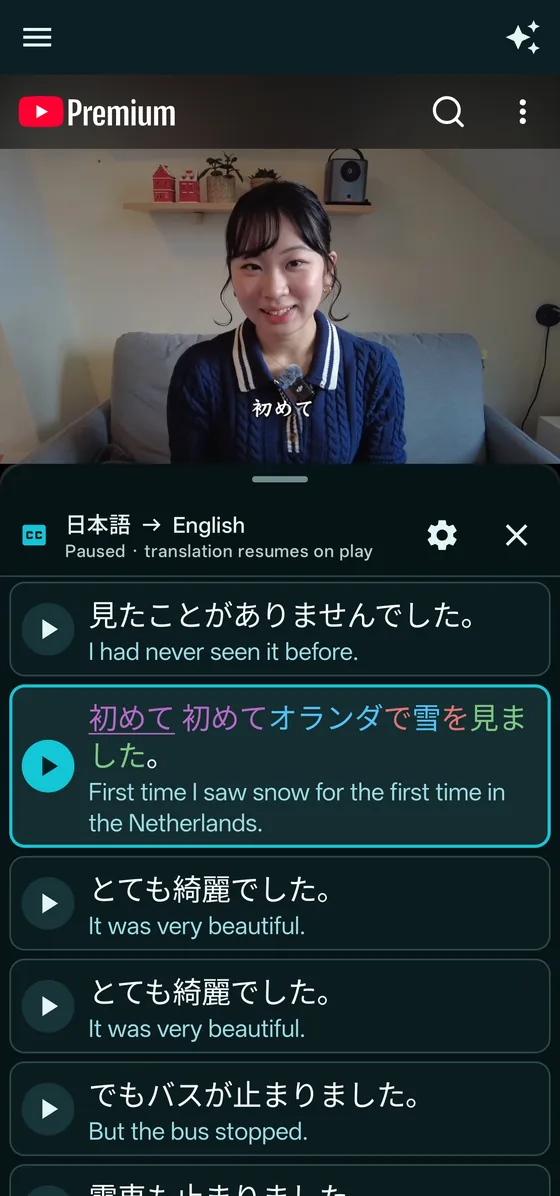
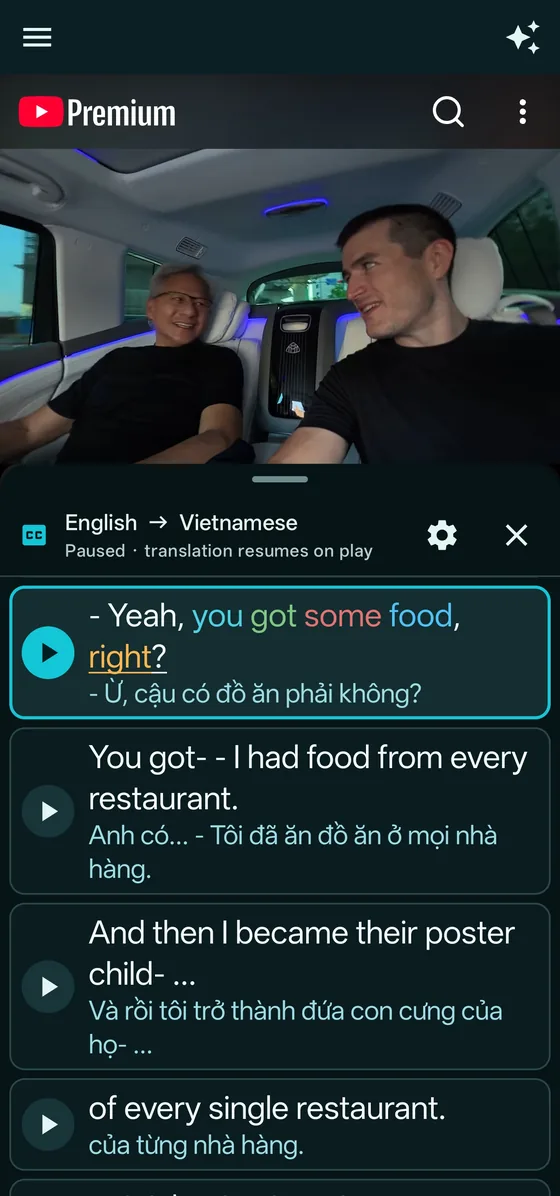
Dual subtitles on your Android phone. A free Language Reactor alternative.
Language Reactor is a desktop browser extension, so it doesn’t work in the YouTube app on your phone. DualSub Replay is a separate, free Android app that shows YouTube captions in two languages and replays any sentence with one tap.
Stuck at 100% in the GitHub app? Download from this site instead.
Android 8.0 or newer. No account, no ads, no API key.
Why learners look for an Android alternative
Language Reactor runs in Chrome on desktop and laptop computers. In March 2026 its team said it has no mobile app for Android or iPhone. If you study on your phone, on the bus or before bed, you need something that runs on the phone itself.
DualSub Replay is an independent open-source project. It is not affiliated with Language Reactor and works only with YouTube, not Netflix.
Two subtitle languages at once
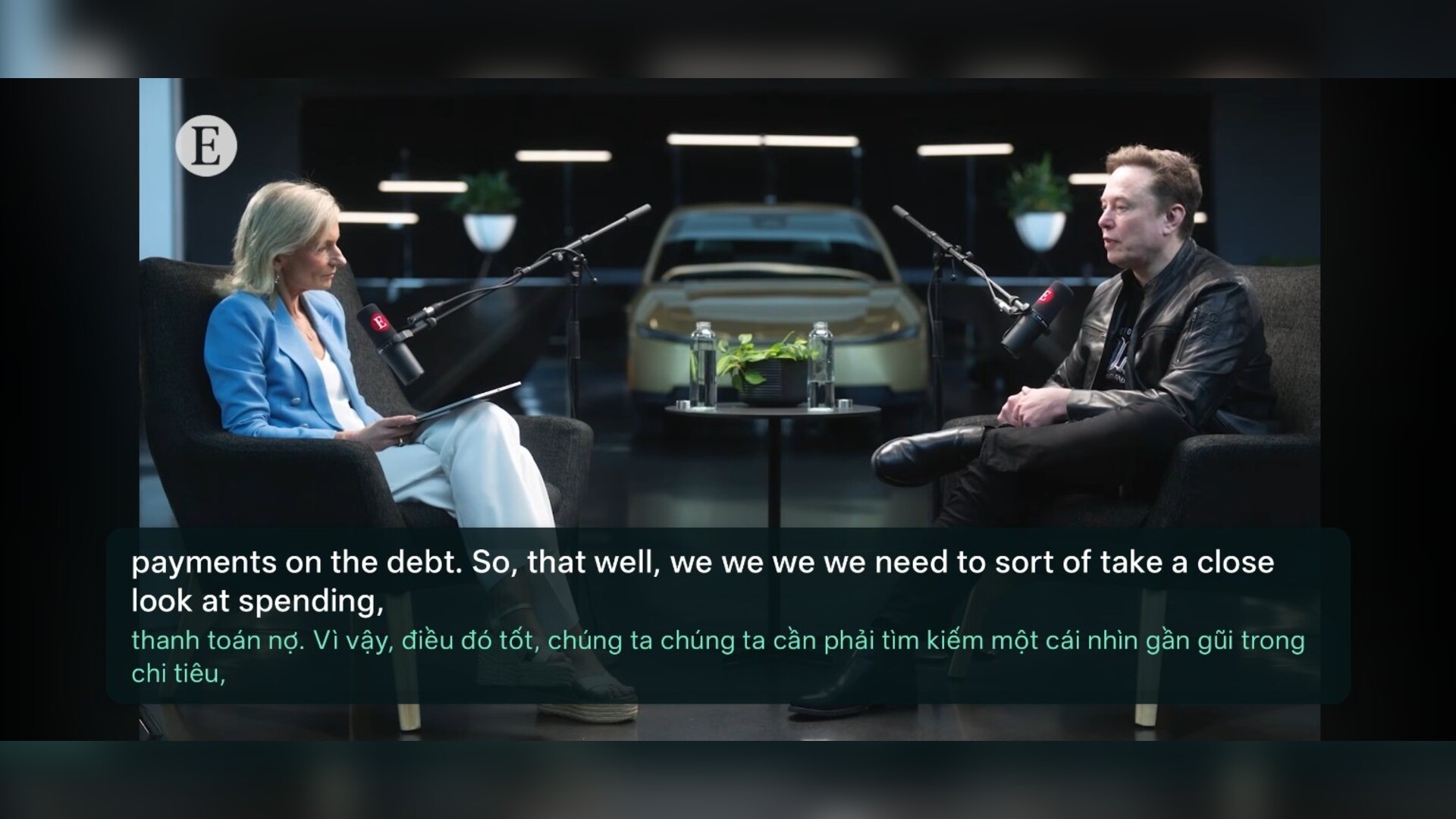
The original caption and its translation sit together under the video, or beside it in landscape.
Tap to replay
Tap a subtitle line and the video jumps back to the start of that sentence. No scrubbing.
Look up words
Tap a word for its meaning, part of speech and pronunciation. Japanese words also get a grammar explanation.
Saved words and Anki
Save words with their original sentence, review them with spaced repetition, or export them to Anki.
Real YouTube inside the app
Search, Shorts, comments and recommendations work as usual. Share any YouTube link to the app to open it.
Free, with no account
No subscription, no ads and no sign-up. Translations go into 101 languages, online with Google Translate or on the phone.
Switching from Language Reactor
- Download DualSub-Replay.apk on your phone and open it. If Android asks, allow your browser to install unknown apps.
- Pick your own language and the language you are learning.
- Search YouTube in the app, or share a video from the YouTube app to DualSub Replay.
- Watch with both subtitles, tap lines to replay them, and tap words to save them.
Frequently asked questions
Is there a Language Reactor app for Android?
No. Language Reactor is a Chrome extension for desktop and laptop computers, and its team has said there is no mobile app. DualSub Replay is a separate Android app with a similar two-language view for YouTube.
Does DualSub Replay work with Netflix?
No. DualSub Replay works with YouTube videos that have captions, including auto-generated ones.
Can I keep using Language Reactor on my computer?
Yes. The two are unrelated, so you can use Language Reactor on your computer and DualSub Replay on your phone. Saved words don’t sync between them, but DualSub Replay can export to Anki.
Is DualSub Replay free?
Yes. It is free and open source, with no ads, subscriptions or accounts.
Try dual subtitles on your phone
If DualSub Replay helps you, a star on GitHub helps other learners find it.
Stuck at 100% in the GitHub app? Download from this site instead.