 DualSub Replay
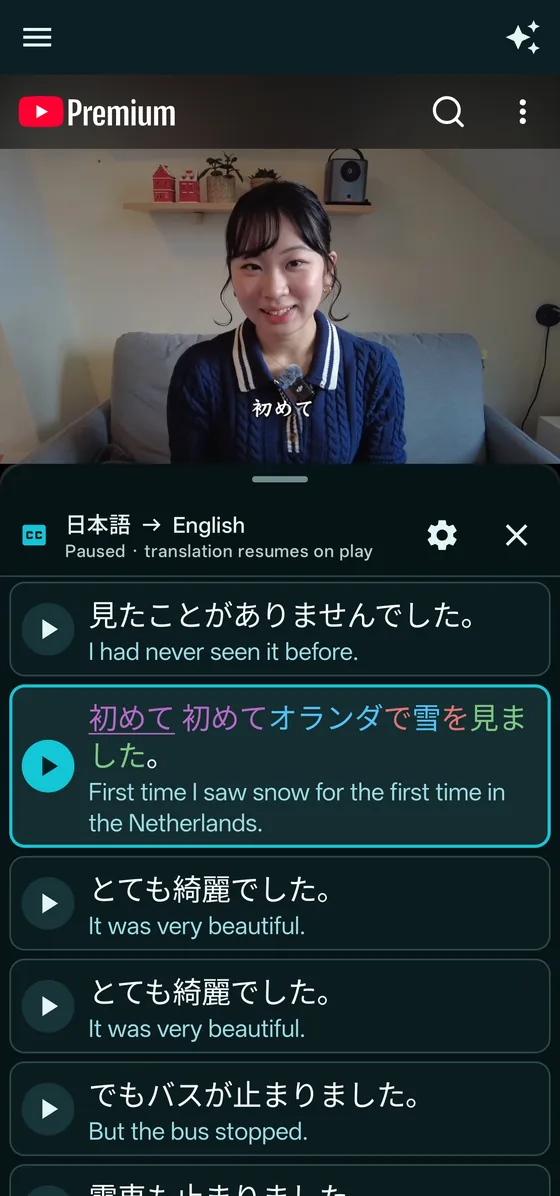
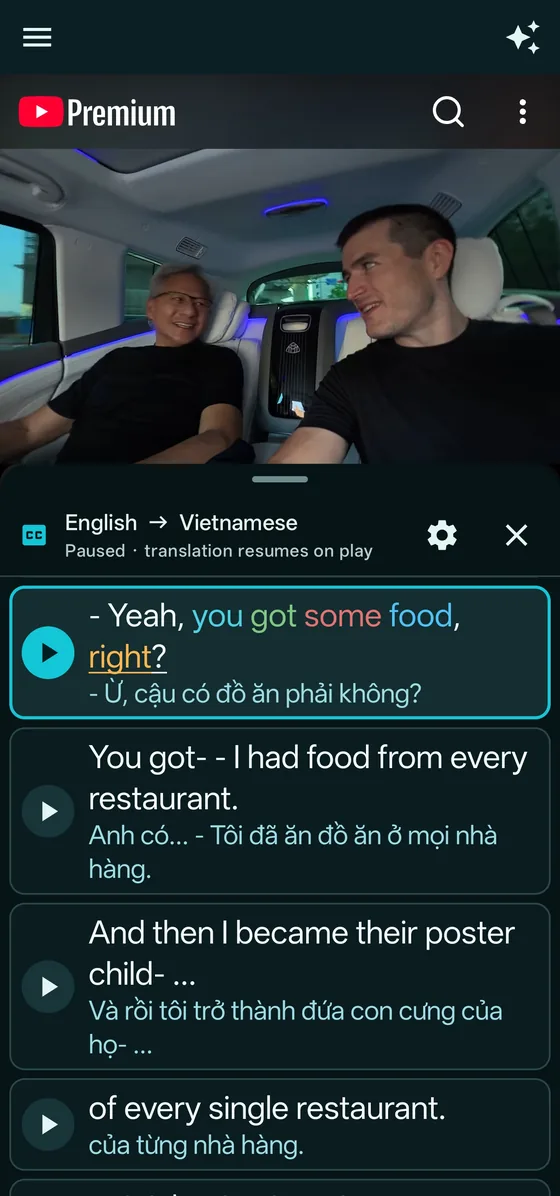
Dual subtitles on YouTube for Android. Six options compared.
The YouTube app shows one caption language at a time. These are the main ways to see two on an Android phone, what each costs, and who each suits. We make DualSub Replay, so we link to every source and you can check our claims.
Stuck at 100% in the GitHub app? Download from this site instead.
Last checked October 2026. Prices and features change, so check each project’s own page before you decide.
The six options at a glance
| Option | How it runs on Android | Cost | Best for | Keep in mind |
|---|---|---|---|---|
| DualSub Replay | Android app (APK from GitHub) with YouTube inside | Free and open source | Replaying sentence by sentence, word lookup, grammar help for Japanese, Chinese and English, saved words and Anki export | YouTube only. Not on Google Play yet. Captions come from YouTube’s internal interfaces, which can change. |
| Trancy | Android and iPhone apps, plus a browser extension | Free plan; Premium from about $3.49 a month, depending on region | Bilingual subtitles with AI tools such as grammar analysis and speaking practice (Premium) | The free plan saves up to 100 words and 50 sentences, and the AI tools need Premium. |
| LingoTube | Android app on Google Play that plays YouTube and video files with subtitles | Free, with ads | Dual captions with A-B repeat and a listen-and-speak practice mode | Its Google Play listing was last updated in March 2024. Dictionary lookups need other apps. |
| Migaku | Android app on Google Play for studying flashcards; subtitles and card making happen in its browser extension | Paid subscription (monthly, yearly or lifetime) after a free trial | Serious learners who turn sentences from videos into spaced-repetition cards | Needs an account. The Android app studies cards made with the browser extension. |
| Dualsub | Add-on for Firefox for Android, used on YouTube’s mobile site | Native Mode is free; some server features are paid | Two subtitle rows inside the browser you already use | Runs in Firefox, not in the YouTube app. |
| Language Reactor | No Android app; Chrome extension for desktop and laptop computers | Free, with a paid Pro plan | Studying YouTube and Netflix on a computer | Its team said in March 2026 that there is no mobile app. |
Sources: Trancy’s plans page and FAQ, Google Play listings for LingoTube and Migaku, Migaku’s pricing page, the Dualsub listing on Firefox Add-ons, and the Language Reactor forum. DualSub Replay is not affiliated with any of these products.
Which one should you pick?
You want to study for free, sentence by sentence
DualSub Replay is free with no limits on saved words. Tap a line to replay it and tap a word to look it up.
You want an AI tutor built in
Trancy Premium adds AI grammar analysis and speaking practice. DualSub Replay’s AI assistant is optional and uses your own key instead.
You already browse YouTube in Firefox
The Dualsub add-on puts two subtitle rows on YouTube’s mobile site without a separate app.
You only install apps from Google Play
LingoTube is free with ads and has A-B repeat. DualSub Replay is not on Google Play yet; you install it from GitHub.
You turn everything into flashcards
Migaku is built around sentence cards and spaced repetition, with a paid plan. DualSub Replay saves words for free and exports them to Anki.
You mostly study on a computer
Language Reactor works well in desktop Chrome, including on Netflix. Use a phone app alongside it when you are away from the computer.
Try dual subtitles with DualSub Replay
- Download DualSub-Replay.apk on your phone and open it. If Android asks, allow your browser to install unknown apps.
- Pick your own language and the language you are learning.
- Search YouTube in the app, or share a video to DualSub Replay from the YouTube app.
- Read both subtitles, tap a line to replay it, and tap a word to save it.
Frequently asked questions
Can the YouTube app show two subtitles at once?
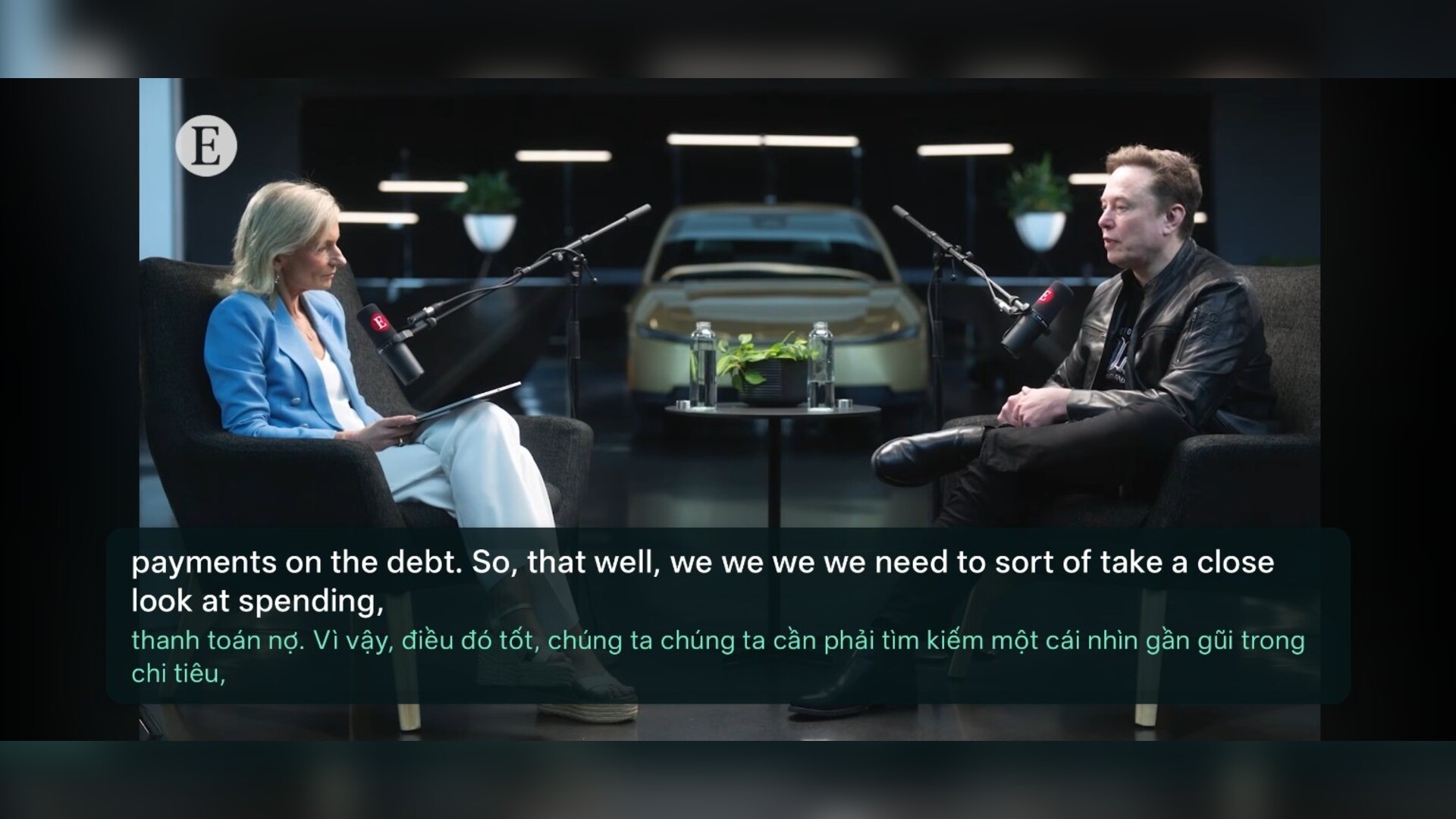
No. The YouTube app shows one caption language at a time. To see two together on Android you need a separate app, such as DualSub Replay or Trancy, or a browser add-on such as Dualsub in Firefox.
What is the best free way to get dual subtitles on YouTube on Android?
It depends on how you study. DualSub Replay is free and open source, with tap-to-replay, word lookup and unlimited saved words. Trancy’s free plan also shows bilingual subtitles but limits saved words and keeps AI tools for Premium. Dualsub is free in Firefox’s Native Mode.
Is there an open-source app for dual subtitles on YouTube on Android?
Yes. DualSub Replay is free and open source under the MIT license, and its code is on GitHub. It shows original and translated YouTube subtitles together, replays any sentence with one tap, and has no ads and no account.
Is DualSub Replay on Google Play?
Not yet. Download the official APK from the GitHub releases page. Android may ask you to allow installs from your browser the first time.
Is DualSub Replay affiliated with Trancy, LingoTube, Migaku, Dualsub or Language Reactor?
No. DualSub Replay is an independent open-source project. This page compares the options from their own public pages.
Try dual subtitles on your phone
If DualSub Replay helps you, a star on GitHub helps other learners find it.
Stuck at 100% in the GitHub app? Download from this site instead.