 DualSub Replay
Dual subtitles for YouTube. Replay any sentence.
DualSub Replay is a free, open-source Android app for learning languages with YouTube. See the original captions and a translation together, then tap any line to hear it again.
Android 8.0 or newer. No account, no ads, no API key.
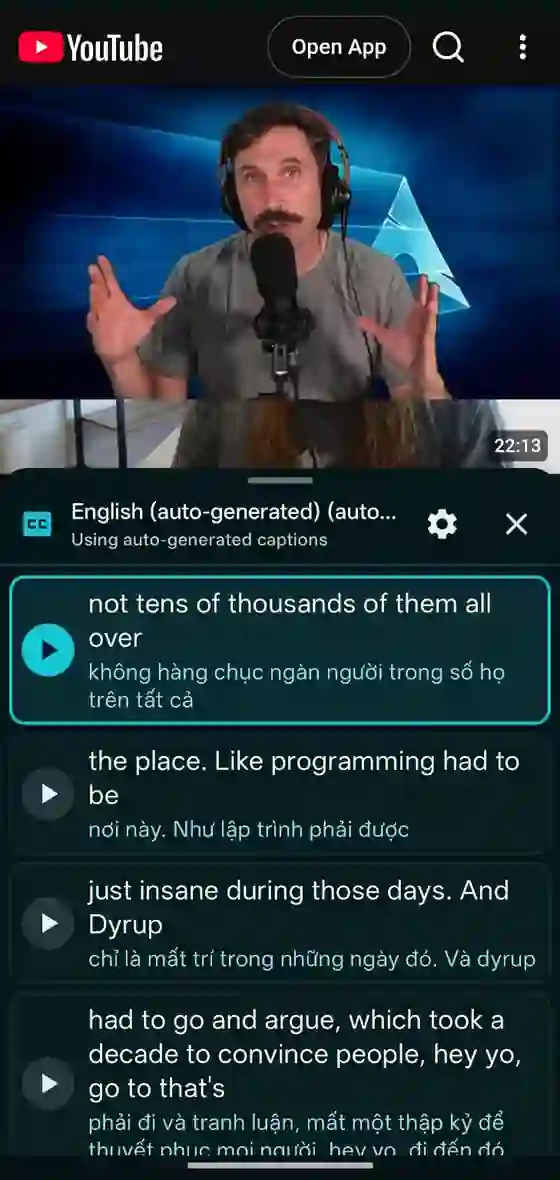
Learn from real YouTube videos, one sentence at a time
Pick any captioned video, choose your language, and study it the way you would with a textbook dialogue.
Two subtitle languages at once
Original captions and their translation sit together, so you never lose the meaning while listening.
Tap to replay
Tap a subtitle paragraph and the video jumps back to that sentence. No scrubbing.
On-device translation
Google ML Kit translates on your phone. Nothing you watch is sent to a project server.
Word-by-word highlight
On auto-generated captions, the current spoken word lights up so you can follow along.
Save words and practice
Tap a word to hear it and save it with its sentence. Review with spaced repetition or export to Anki.
The YouTube you know
Search, Shorts, comments and recommendations stay as they are. Share any YouTube link to the app to open it.
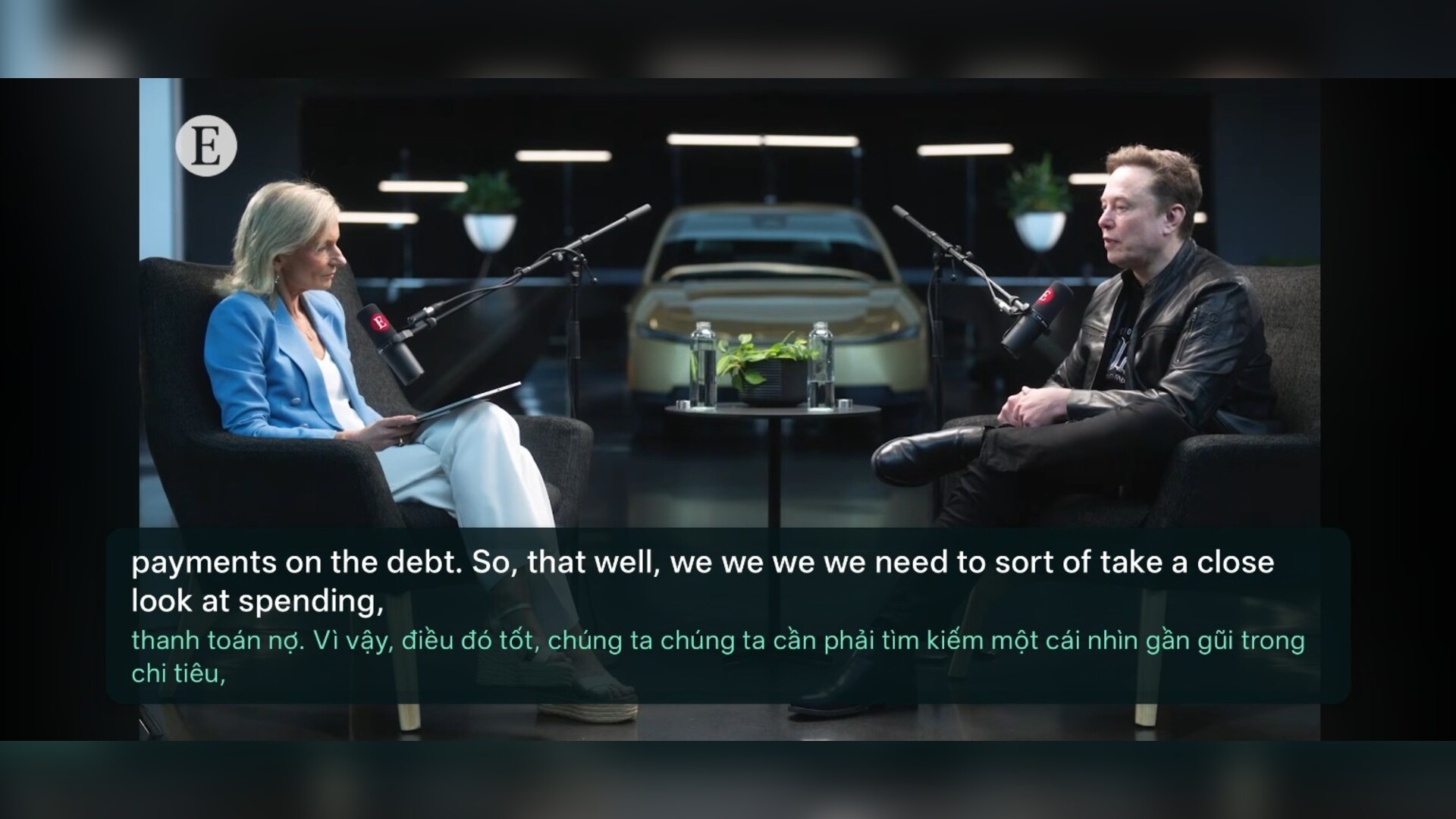
How to watch YouTube with dual subtitles on Android
- Download DualSub-Replay.apk and open it. If Android asks, allow your browser to install unknown apps.
- Open DualSub Replay, pick your language, and search YouTube as usual.
- Choose a video with captions. The original and translated subtitles appear under the video, or beside it in landscape.
- Tap any subtitle paragraph to replay that sentence. Swipe the panel away to see comments and other videos.
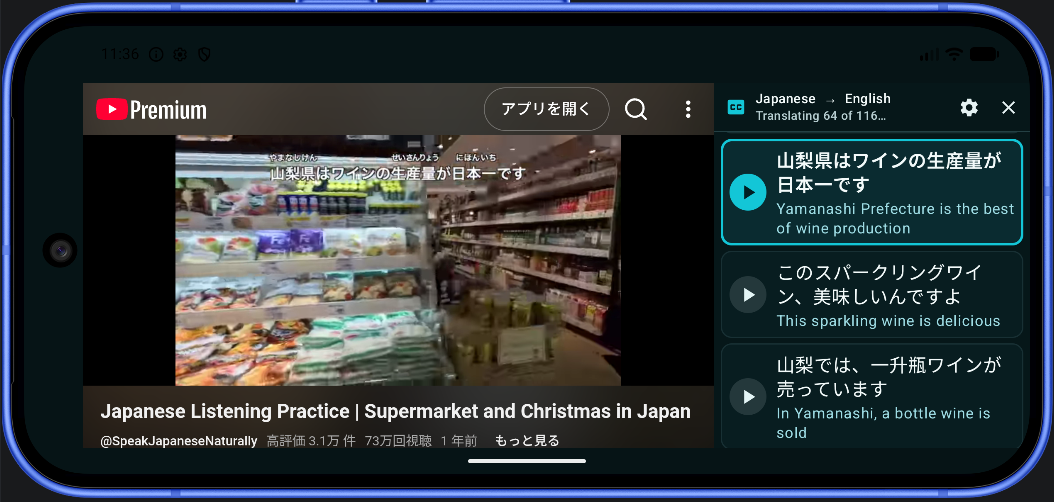
Learn English, Japanese, Korean, Spanish, Chinese and 50+ more
The original can be any caption language a video offers, including auto-generated captions. Translations go into these 59 languages:
- Afrikaans
- Albanian
- Arabic
- Belarusian
- Bengali
- Bulgarian
- Catalan
- Chinese
- Croatian
- Czech
- Danish
- Dutch
- English
- Esperanto
- Estonian
- Finnish
- French
- Galician
- Georgian
- German
- Greek
- Gujarati
- Haitian
- Hebrew
- Hindi
- Hungarian
- Icelandic
- Indonesian
- Irish
- Italian
- Japanese
- Kannada
- Korean
- Latvian
- Lithuanian
- Macedonian
- Malay
- Maltese
- Marathi
- Norwegian
- Persian
- Polish
- Portuguese
- Romanian
- Russian
- Slovak
- Slovenian
- Spanish
- Swahili
- Swedish
- Tagalog
- Tamil
- Telugu
- Thai
- Turkish
- Ukrainian
- Urdu
- Vietnamese
- Welsh
Frequently asked questions
Is DualSub Replay free?
Yes. DualSub Replay is free and open source. There are no ads, subscriptions, accounts, or API keys.
How do I show two subtitles at once on YouTube for Android?
Install DualSub Replay, open a YouTube video that has captions, and choose the language you want next to the original. The app shows the original caption and its translation together under the video.
Does it work like Language Reactor on Android?
Browser extensions such as Language Reactor run in desktop Chrome, not in the Android YouTube app. DualSub Replay is a separate Android app that gives a similar two-language subtitle view for YouTube, plus tap-to-replay and saved words. It is not affiliated with Language Reactor.
Which languages are supported?
Any caption language a YouTube video offers can be the original. Translations can go into 59 languages supported by Google ML Kit, including English, Spanish, Japanese, Korean, Chinese, French, German, and Vietnamese.
Is DualSub Replay on Google Play?
Not yet. Download the official APK from the GitHub releases page. Android may ask you to allow installs from your browser the first time.
Does translation send my subtitles to a server?
No. Google ML Kit downloads the language model once, then translation runs on your phone. The project runs no server and collects no analytics.
Start learning with YouTube today
If DualSub Replay helps you, a star on GitHub helps other learners find it.